Cut Contractor No-Shows by 40% with Automation
Home Services, Contractor Scheduling, Automated Appointment Reminders
How to Cut Job No-Shows by 40% With Automated Text Reminders for Contractors
Appointment no-shows quietly drain profit from home service businesses. In this guide, you will learn how leading contractors use automated appointment reminders and contractor scheduling automation to reduce contractor no-shows, keep crews busy, and protect every billable hour.
Why Are Appointment No-Shows Such a Big Problem for Home Service Contractors?
For most home service contractors, the work itself is not the bottleneck—the schedule is. Your crews can only run so many estimates and jobs in a day. When a customer does not open the door, does not answer the phone, or simply forgets they booked you, that slot is gone forever. No-shows are a silent profit killer that rarely show up on financial statements, but they have a direct impact on your bottom line.
The problem is magnified in home services because every appointment includes drive time, prep time, and opportunity cost. A single missed estimate or job can waste:
30–60 minutes of drive time each way for your crew or estimator
30–60 minutes of onsite time you planned to spend with the customer
A prime booking slot that could have been filled by another paying customer
On higher-ticket work—roofing, HVAC installs, remodels, exterior painting, or concrete—the numbers get even more painful. A no-show on a $2,000–$10,000 job can waste 2–4 hours of crew time and block out a half-day on your calendar. Multiply that by a few times per week, and you are looking at thousands of dollars in lost revenue each month, even if your crews are technically “on the clock.”
How Do No-Shows Impact Revenue, Crew Utilization, and Profitability?
No-shows hurt your business in three main ways: direct revenue loss, wasted labor, and schedule instability. Understanding each one is the first step toward fixing the problem with automated appointment reminders and smart contractor scheduling automation.
1. Direct revenue loss from empty time slots
When a customer does not show, you lose the revenue you expected from that visit. If the appointment was an estimate, you lose the chance to close the job. If it was a scheduled job, you lose billable work hours that day. Either way, the revenue tied to that slot disappears, and there is usually not enough time to backfill it on short notice.
2. Wasted crew time and morale issues
Your crews still get paid when they drive to an empty house. They still burn fuel, sit in traffic, and load materials. Over time, repeated no-shows lower morale. Technicians and installers want to work, not sit idle in the truck. When your team sees their time being wasted, it can lead to frustration, overtime pressure on other days, and higher turnover.
3. Unpredictable schedules and operational chaos
No-shows also create scheduling chaos. One missed appointment can ripple through the day: crews finish early, dispatch scrambles to pull jobs forward, and office staff spend time chasing customers by phone. Instead of running a predictable schedule, you are constantly reacting. That makes it harder to plan staffing, manage materials, and hit revenue targets with confidence.
📌 Key Takeaway: Even a modest no-show rate quietly erodes profit. Reducing contractor no-shows by just 30–40% can be the difference between a tight month and a record one.
How Do Automated Text Reminder Systems Work for Contractors?
Automated text reminder systems are designed to solve the no-show problem at the root: customers simply forget, get busy, or misremember the time. Instead of relying on manual calls or one-off texts from your office staff, you set up a repeatable reminder sequence that runs automatically for every appointment on your calendar.
The core reminder sequence: 24 hours and 2 hours before each appointment
Most high-performing home service contractors use a simple, proven reminder sequence:
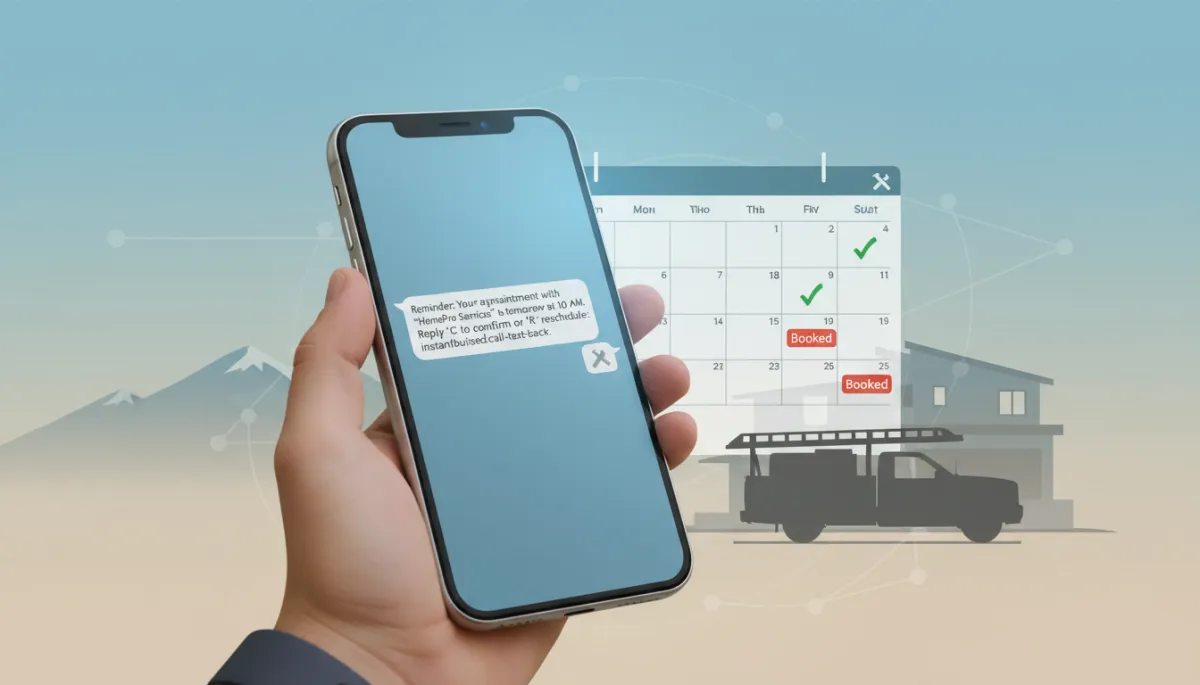
Reminder #1 — 24 hours before: Confirms the date, time, and basic details. Example: “Hi Sarah, this is Peak Roofing. Your roof inspection is scheduled for tomorrow at 10:00 AM. Reply C to confirm or R to reschedule.”
Reminder #2 — 2 hours before: Acts as a final nudge and gives the customer a last chance to adjust. Example: “We’re on track for your 10:00 AM appointment today. If something changed, reply R and we’ll help you reschedule.”
These automated appointment reminders dramatically reduce “I forgot” scenarios. Customers appreciate the heads-up, and your team gets better visibility into which appointments are truly solid for the day.
Easy rescheduling options that protect your schedule instead of canceling it
The most effective reminder systems do more than just send texts—they make it easy for customers to reschedule without tying up your office phone lines. With platforms like Instant Business Pro (IBP), replies like “R” or “Need to change time” can automatically trigger a follow-up text with alternative slots or a link to your booking page.
Instead of a dead no-show, that appointment becomes a rescheduled job later in the week. You keep the revenue, and your crews can often fill the freed-up slot with another customer on your waitlist or call-back list using IBP’s pipeline and scheduling tools.

Simple, automated texts turn forgotten appointments into rescheduled jobs instead of lost revenue.
How Can Contractor Scheduling Automation and IBP Tools Reduce No-Shows by 30–40%?
Automated texts work best when they are connected directly to your calendar and call flow. This is where contractor scheduling automation and IBP’s all-in-one platform make a measurable difference in no-show rates and revenue predictability.
Integrated scheduling that triggers reminders without manual work
With IBP, every new appointment that hits your calendar—whether it is booked by your office staff, from your website, or via a missed call—is automatically enrolled in the correct reminder sequence. There is no need for your team to remember to send texts or mark checkboxes. The system handles it in the background for every job, every day.
IBP’s scheduling tools allow you to:
Set different reminder templates for estimates, service calls, and installation days
Adjust timing for same-day or next-day bookings so reminders still go out on time
Automatically notify crews when a customer confirms or reschedules
Capturing missed calls before they turn into missed appointments
Many no-shows start as missed calls. A customer calls to book, gets voicemail, and never leaves a message. Or they call back later and double-book themselves with another contractor. IBP’s missed call text back feature automatically sends a text when you cannot answer the phone: “Sorry we missed your call—this is Front Range Plumbing. How can we help you today?”
From there, the system can guide the customer to book an appointment directly, which then triggers the reminder sequence. You capture more opportunities up front and reduce the odds that a loosely scheduled “maybe” turns into a no-show later.
Tiered IBP plans that fit different contractor sizes and needs
Whether you are a one-crew operation or running multiple teams across a region, IBP offers tiered plans that scale with your business. Contractors often start with the IBP Essentials tier to implement core automated appointment reminders, then move up to IBP Growth or IBP Pro as they add more locations, dispatch complexity, and marketing automation. Each tier includes access to scheduling automation, text campaigns, and pipeline tools that support a systemized approach to reducing no-shows.
What Is the ROI of Cutting Job No-Shows With Automated Appointment Reminders?
Let us walk through a realistic example to show how powerful even a modest reduction in no-shows can be for a typical home service contractor. We will use round numbers, but you can plug in your own to see the impact on your business.
Baseline scenario: 20 jobs per week at $800 average ticket
Imagine your company completes 20 jobs per week with an average revenue of $800 per job. That is:
Weekly booked revenue: 20 jobs × $800 = $16,000
Monthly booked revenue (4.3 weeks): $16,000 × 4.3 ≈ $68,800
Now assume you have a 15% no-show rate across estimates and jobs. That means:
3 of your 20 weekly jobs are no-shows (20 × 0.15 = 3)
Lost booked revenue per week: 3 × $800 = $2,400
Over a typical month, that is roughly:
$2,400 × 4.3 weeks ≈ $10,320 in lost revenue per month
Impact of reducing contractor no-shows by 40%
Contractors using IBP’s automated appointment reminders commonly see a 30–40% reduction in no-shows within the first few months. Let us use the higher end of that range for our example and assume a 40% reduction:
Original no-shows: 3 per week
Reduced no-shows (40% cut): 3 × (1 − 0.40) = 1.8 ≈ 2 no-shows per week
That means you recover roughly 1 extra completed job per week:
1 extra job × $800 = $800 per week in recovered revenue
Over a month:
$800 × 4.3 weeks ≈ $3,440 in recovered revenue per month
For many contractors, that recovered revenue alone more than covers the cost of an automation platform like IBP, even on the more advanced IBP Growth or IBP Pro tiers. And this example does not include the labor savings, fuel savings, or added capacity you unlock by running a fuller, more predictable schedule.
💡 Pro Tip: Run this math with your actual weekly job count, average ticket, and no-show rate. The numbers are often larger than you expect.
What Does a Real-World Colorado Use Case Look Like With IBP Automation?
Consider a mid-sized exterior painting contractor based along Colorado’s Front Range. They run three crews, focusing on residential repaint projects in the $3,000–$8,000 range. Before implementing automated text reminders and IBP scheduling automation, their no-show problem was concentrated on estimates and color consultations, especially during the busy spring and summer months.
The starting point: missed estimates and wasted drive time
Their estimator might drive from Fort Collins to Longmont for a 9:00 AM estimate, only to find no one home. Later that afternoon, another homeowner in Loveland would call asking if they could come “right now” for an estimate. The company knew they were losing opportunities, but they did not have a clear system to tighten up confirmations and rescheduling.
Implementing IBP Essentials for reminders and missed call text-back
They started with the IBP Essentials tier to keep things simple:
Every estimate and job booked in their calendar automatically received 24-hour and 2-hour automated appointment reminders via text.
Customers could reply “C” to confirm, “R” to reschedule, or simply text back questions, which appeared in a shared team inbox.
IBP’s missed call text back ensured every unanswered call received an immediate text, inviting the homeowner to book an estimate time.
The results: fewer empty driveways, fuller weeks, and happier crews
Within 90 days, their no-show rate on estimates dropped by just over 35%. The estimator reported far fewer “no one home” visits, and when customers did need to reschedule, they typically did so the day before, giving the office time to fill the slot with someone from the call-back list. Crews noticed the difference too: less wasted drive time along I-25, more consistent days, and steadier weekly paychecks.
Encouraged by the results, the company later upgraded to IBP Growth to add more advanced pipeline tracking and follow-up automations, but the foundation of their improvement came from one simple habit: every appointment automatically received clear, timely text reminders with easy options to confirm or reschedule.
How Can You Start Using Automated Text Reminders to Cut Job No-Shows?
You do not need to overhaul your entire tech stack to start reducing contractor no-shows. A practical approach is to implement automated appointment reminders in phases, using IBP to tie everything together without adding manual work for your office staff.
Audit your current no-show rate. Look back 30–60 days and estimate how many estimates or jobs were missed. Even rough numbers will help you set a baseline and calculate potential ROI.
Standardize your reminder sequence. Decide on your 24-hour and 2-hour reminder messages. Keep them friendly, clear, and action-oriented (confirm or reschedule).
Connect your calendar to IBP. Use IBP’s scheduling and automation tools to ensure every new appointment is automatically enrolled in the correct sequence, without extra steps for your team.
Turn on missed call text-back. Capture more opportunities at the top of the funnel so you are not fighting no-shows later from loosely scheduled, unconfirmed leads.
Monitor, adjust, and expand. After 60–90 days, review your no-show rate and recovered revenue. Then consider expanding automation to follow-up sequences, review requests, and repeat service reminders using IBP Growth or IBP Pro features.
What Is the Next Step to Reduce Contractor No-Shows and Stabilize Your Revenue?
Appointment no-shows do not have to be “just part of the business.” With a straightforward automated text reminder system, you can cut job no-shows by 30–40%, keep your crews on the move, and turn your schedule into a reliable engine for growth instead of a daily guessing game.
Platforms like Instant Business Pro are built specifically for contractors, combining scheduling automation, automated appointment reminders, and tools like missed call text back into one system. Whether you start with IBP Essentials or grow into IBP Growth or IBP Pro, the core benefit is the same: fewer wasted trips, fuller calendars, and more predictable revenue every week of the year.
If you are ready to stop leaving money on the table because customers forget their appointments, explore how IBP can support your business. A short conversation and a simple automation setup today can pay for itself many times over in the coming months through reduced no-shows and stronger crew utilization.
