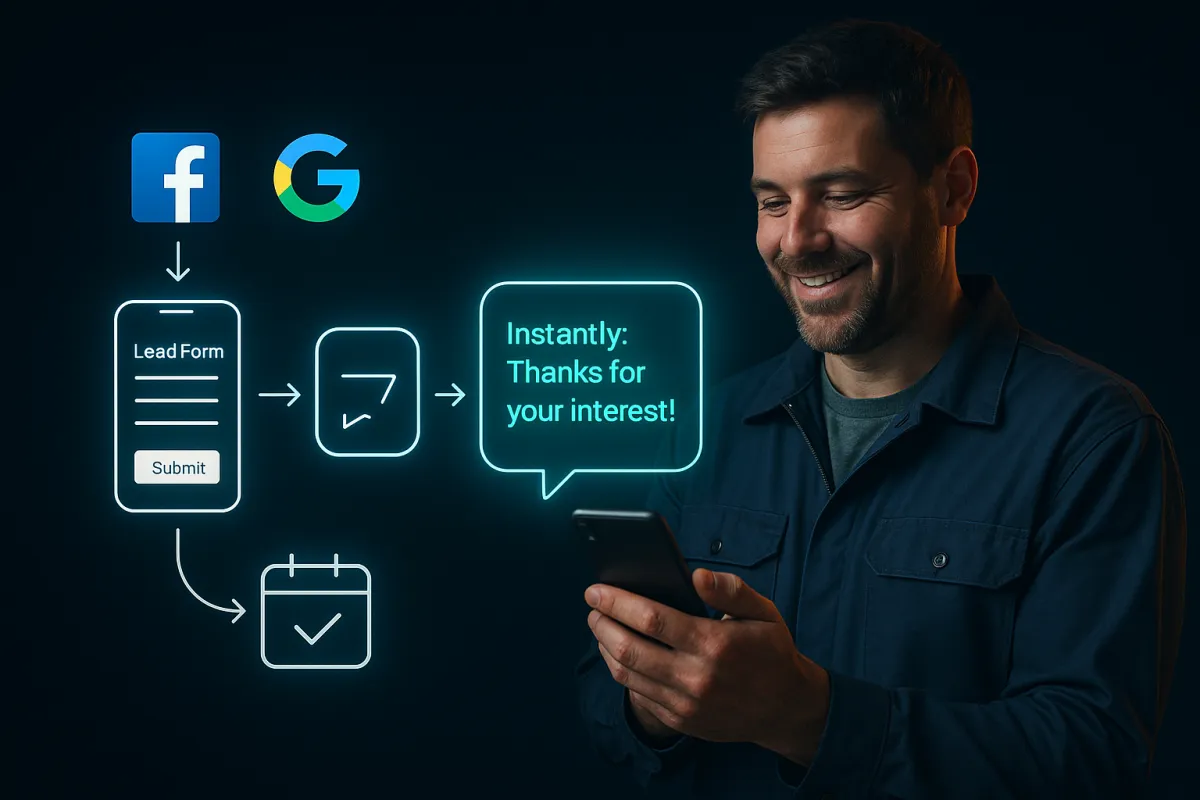
How to Automate Your Ad Lead Follow-Up System (Step-by-Step)
The Step-by-Step System for Automating Your Ad Lead Follow-Up
If you are running Facebook Lead Ads or Google Lead Form Extensions and manually following up with every submission, you are fighting a battle the math will not let you win.
Lead forms are submitted at any hour of the day. A homeowner in Denver fills out your HVAC form at 9:47pm. A Boulder homeowner submits a roofing quote request during their lunch break. A Fort Collins family inquires about plumbing at 6am before they leave for work. You cannot be watching for these in real time. And the window to convert a passive ad lead closes in minutes, not hours.
Here is the actual data. The industry average response time for ad leads is 47 hours. Meanwhile, contractors who respond within 5 minutes are 8 times more likely to win the job than those who respond after 30 minutes. After 30 minutes, the odds of converting that lead drop below 10% because the homeowner has already booked with someone who responded faster.
The contractors winning the most jobs from their paid ad campaigns are not faster humans. They are smarter systems. They have automated the most time-sensitive part of the lead conversion process, the instant and personalized first response, so that no lead ever falls through the cracks regardless of when it comes in.
This is the complete step-by-step guide to building that system for your Facebook and Google lead form submissions.
Why Automation Is the Only Viable Answer for Ad Form Leads
Before walking through the steps, it helps to understand exactly what you are working against.
Facebook Lead Ads average a cost per lead of $27 to $42 for home service contractors, according to 2025 and 2026 benchmark data. Google Lead Form Extensions run significantly higher, with Google Ads averaging a cost per lead of $70 across industries. Every one of those leads represents real money your business spent to generate that inquiry.
When a homeowner submits that form, they are not loyal to you yet. They submitted to you because your ad caught their attention at the right moment. The biggest hidden cost in Facebook Lead Ads is not your cost per lead. It is the leads you are paying for but never converting because your follow-up is too slow. If you are paying $40 per lead and your response time is 24 hours, that lead has an 80% lower chance of converting compared to a 5-minute response.
That $40 lead might as well be a $200 lead in terms of actual cost per customer.
This is why automation is not optional for contractors running paid ads. It is the only way to respond fast enough, consistently enough, to protect the investment you are already making. We explored the full picture of why slow follow-up kills ad ROI in our post on why contractor ads are not booking the jobs they should.
Step 1: Connect Your Lead Sources to an Automation Platform
What this step does: Creates a real-time bridge between your ad platforms and your follow-up system so that lead data triggers action the moment a form is submitted.
The foundation of automated lead follow-up is the integration between your lead source and your automation platform. When a homeowner submits a lead form on Facebook or Google, the platform receives the lead data instantly and triggers your follow-up sequence. Without this connection, lead data sits in your Facebook Ads Manager or Google Ads account and only reaches you when you manually check it. That check might happen hours later. In a market where 78% of jobs go to the first contractor who responds, hours later is already too late.
What you need to connect:
Facebook Lead Ads via a CRM or automation platform with a native lead ad integration
Google Lead Form Extensions via Google Ads API or your platform's webhook integration
Website contact forms via embed code, webhook, or native CRM integration
Once connected, every new lead submission fires a real-time trigger that starts your follow-up sequence automatically, whether it is 11am on a Tuesday or 10pm on a Saturday.
If you are still comparing automation platform options, our post on questions Colorado contractors ask before trying AI automation walks through the most common decision-making concerns honestly.
Step 2: Build Your Instant First-Touch SMS Message
What this step does: Gets your name in front of the lead within 60 seconds of form submission, before they call another contractor.
The first message in your sequence should fire within 60 seconds of form submission. This single touchpoint determines whether you open a conversation or get silence. 98% of text messages are read, compared to emails which average a 20.8% open rate. SMS is where this first touch belongs.
Your first message should be:
Personal: Use the lead's first name from the form submission data
Relevant: Reference the specific service they inquired about
Local: Reference Colorado or their city if you have it
Conversational: Sound like a real person, not a system
Action-oriented: End with a simple question that invites a reply
Example message structure:
"Hey [First Name] — thanks for reaching out about [Service]! We are local to [City Area] and would love to get you taken care of. Is this week good for a quick estimate, or does next week work better for you?"
Notice what that message does not do. It does not pitch services. It does not list credentials. It does not feel like a template. It is warm, specific, and asks a question that is easy to answer. The goal of the first message is to start a conversation, not close a sale.
We cover the specific mechanics of why the first five minutes are so critical in our post on the 5-minute rule for contractor ad form leads and how our Ad Form Instant Follow-Up service supports that system.
Step 3: Set Up Your Follow-Up Email Within 2 to 5 Minutes
What this step does: Provides credibility and proof to move a prospect from interested to ready to book.
While the SMS is your warm conversational first touch, the automated email that follows within two to five minutes serves a different purpose. It provides the proof and context that moves a prospect from interested to confident enough to respond.
Your follow-up email should include:
A warm, personalized opening that references their specific inquiry
A brief statement of why Colorado homeowners choose your company
Two or three trust signals such as reviews, years in business, or certifications
A clear call-to-action with a direct booking link or phone number
A photo of you or your team if possible, since human faces build trust meaningfully in a way text alone cannot
This email is not expected to close the deal. It is expected to build enough credibility that the prospect feels confident engaging when your next touchpoint arrives. Think of it as your digital introduction, delivered instantly at the exact moment of highest interest.
Step 4: Program Your No-Response Follow-Up Sequence
What this step does: Systematically re-engages leads who did not respond to the first touch, capturing jobs that manual follow-up would abandon.
Most leads will not respond to your first message. This is normal, and it does not mean they are not interested. Research consistently shows that 80% of sales occur between the 5th and 12th contact, yet most sales professionals give up after just two attempts. 70% of responses come from follow-up touches 2 through 4, not the initial message.
For Colorado home service contractors, here is a proven five-touch follow-up sequence for ad form leads:
Touch 1: Immediate, within 60 seconds
Personalized SMS. Warm, conversational, ends with an easy question.
Touch 2: Day 1, 2 to 3 hours after submission
Follow-up SMS if no response. Acknowledge the inquiry again and create mild urgency.
Example: "Just checking in [First Name] — we had a spot open up this week for [Service] and wanted to make sure we held it for you. Want me to pencil you in?"
Touch 3: Day 2
Check-in SMS. Casual and low-pressure.
Example: "Hey [First Name] — still thinking about [Service]? No rush at all, just want to make sure you got my message. Feel free to text back anytime!"
Touch 4: Day 4
Value-add email. Send genuinely useful information related to their inquiry — a short tip, a seasonal consideration, or a relevant FAQ that demonstrates expertise without pressure. Include a soft call-to-action. This keeps your name visible and positions you as a resource rather than a salesperson.
Touch 5: Day 7
Final SMS. Honest, friendly, and respectful.
Example: "Hey [First Name], last check-in on [Service]. If the timing is not right, no worries at all — we are here whenever you need us. Here is the easiest way to reach us when you are ready."
Five touches over seven days. Each message is progressively lighter on urgency and heavier on patience. A multi-touch follow-up sequence increases response rates by 30% or more compared to single-touch outreach. Businesses using automation also report 41% faster response times to customer inquiries overall.
The goal of this sequence is not to pressure anyone. It is to be present and professional when the prospect is finally ready to move forward.
Step 5: Configure Real-Time Notifications for Your Team
What this step does: Ensures a real human takes over the moment a lead responds, turning an automated conversation into a booked appointment.
Automation handles the first response and the follow-up sequence. But when a lead replies, especially for the first time, a real person should take over as quickly as possible. Configure your automation platform to notify your team the moment a lead responds to any message in the sequence. That notification should include:
The lead's name and phone number
Which ad they came from
The service they inquired about
The full message thread up to that point
When your team picks up a warm conversation that automation has already started, they are not making a cold call. They are continuing a relationship. The lead already knows who you are, has had a positive interaction with your brand, and is pre-disposed to trust you. That is a fundamentally different conversation, and it closes at a fundamentally different rate.
This handoff model is also why contractors who run AI-powered after-hours answering systems alongside their ad automation see the strongest overall conversion results. No lead falls through at any hour.
Step 6: Track, Measure, and Optimize
What this step does: Turns your automated system into a self-improving asset that gets sharper and more effective over time.
Automated follow-up gives you data that manual follow-up never could. The metrics to track:
Response rate by touch number: Which message in your sequence generates the most replies
Conversion rate by lead source: Whether Facebook leads convert differently than Google leads
Time-to-response patterns: When during the day your leads are most likely to respond
Drop-off points: Where leads go silent in the sequence and what might re-engage them
Use this data to refine your message copy, adjust send timing, and optimize each touchpoint for maximum response. We go deeper on measuring your overall ad spend ROI in our post on speed to lead and how Colorado contractors are booking 3x more jobs from the same lead volume. Over time, your sequence gets sharper and your cost per booked job keeps improving.
Colorado-Specific Considerations for Your Follow-Up Messages
For Colorado home service contractors, local relevance in your messages is a meaningful conversion factor.
Colorado homeowners in Denver, Colorado Springs, Fort Collins, Boulder, and more rural areas respond more strongly to messages that acknowledge their specific situation and context. Reference the season, local trade drivers, and regional patterns that apply to your work: hail season timing for roofing contractors, the extreme temperature swings that stress HVAC systems, hard water issues for plumbers, or spring lawn care timing for landscapers.
A message that reads like it was written for a Colorado homeowner converts significantly better than one that reads like a national template. The more locally specific your messaging, the more the lead feels like they are dealing with someone who actually knows their area.
If you are an HVAC contractor building this system before peak summer season, our post on how Colorado HVAC contractors stop losing leads during peak season covers the seasonal context that should inform your messaging.
Frequently Asked Questions: Automating Ad Lead Follow-Up
How do I connect my Facebook Lead Ads to an automated follow-up system?
Most CRM and automation platforms offer a direct Facebook Lead Ads integration that connects your ad account and automatically receives new lead submissions in real time. Once connected, you configure your follow-up workflow and it triggers automatically for every new form submission, night or day.
How many follow-up messages should I send to a lead?
A five-touch sequence over seven days is the proven structure for ad form leads. Research shows that 80% of sales occur between the 5th and 12th contact, and 70% of responses come from follow-up touches 2 through 4 rather than the initial message. Five touches provides enough persistence to catch leads who were busy without becoming aggressive with those who simply need more time.
What should the first automated text to a lead say?
Your first message should use the lead's name, reference the specific service they inquired about, sound conversational rather than scripted, and end with a simple open-ended question. Avoid pitching services, listing credentials, or anything that reads like a template. The goal of the first message is to start a conversation, not close a sale.
What happens when a lead responds to my automated message?
When a lead responds, your automation platform immediately notifies your team with the full context of the conversation so a real person can take over. Automation handles the first response and the follow-up sequence. A human handles the warm conversation and booking from that point forward.
Can I automate follow-up for both Facebook and Google leads in one system?
Yes. Platforms that integrate with multiple lead sources simultaneously consolidate Facebook Lead Ads, Google Lead Form Extensions, website contact forms, and missed calls in one place. All channels receive automated follow-up sequences from a single platform, giving you one clear view of every lead regardless of source.
How long does it take to set up an automated follow-up system?
Most Colorado contractors using a properly built automation platform are fully operational within one to two days of setup. The sequence is configured once and runs automatically from that point forward. The ongoing time investment is in reviewing performance data and refining message copy over time.
Why is SMS better than email for the first follow-up touch?
98% of text messages are read, compared to email open rates that average around 20%. For home service leads, the first response needs to reach the prospect immediately and get noticed. SMS achieves that. The follow-up email that arrives minutes later then provides the proof and credibility that builds enough trust to convert the conversation.
Set It Up Once, Convert Leads Every Day After That
The most powerful thing about an automated follow-up system is that you build it once and it works for you around the clock, across every lead, without exception. Every Facebook form submission. Every Google inquiry. Every evening lead that would have gone unanswered. All of them receive the same instant, professional, personalized response that gives them every reason to choose your business.
At Instant Business Pro, we help Colorado home service contractors build automation systems that protect their ad spend and convert more leads from every campaign. If you are ready to stop losing jobs from your Facebook and Google ads to slow follow-up, reach out today for a free consultation on your current lead response process.
